MaraDocs in three areas – all features at a glance
Classic document processing, PDF annotator and document requests – find an overview of all MaraDocs features with quick guides here.
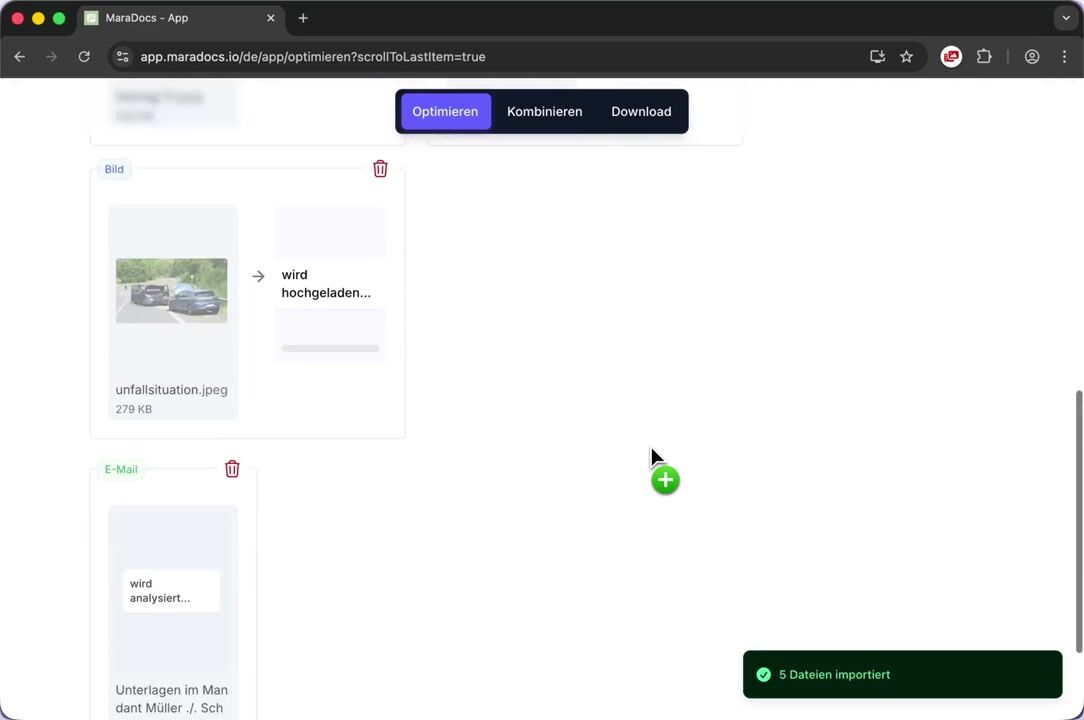
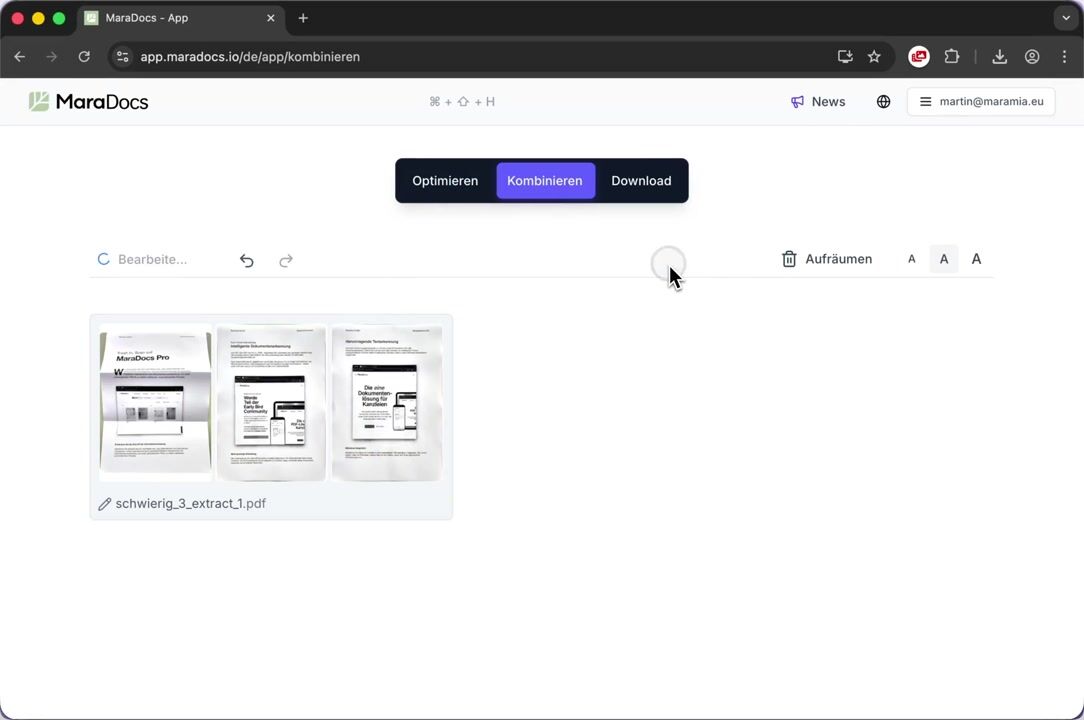
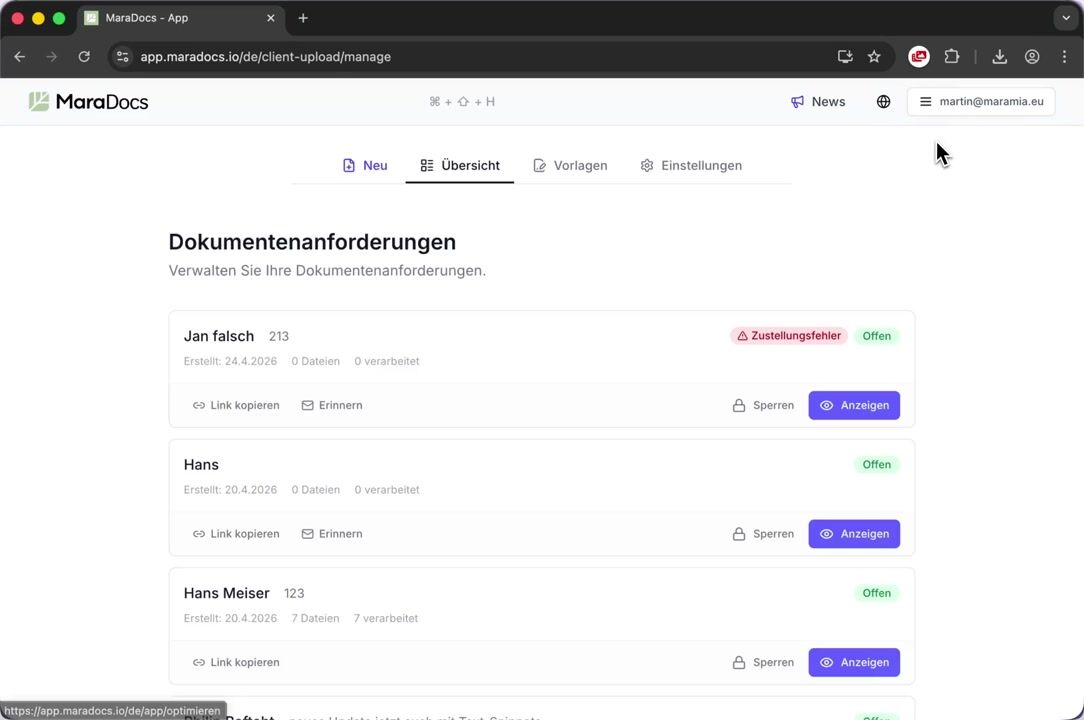
MaraDocs is divided into three areas today: classic document processing for your law firm, document requests for digital collaboration with clients, and the PDF annotator for quick editing of individual PDF pages directly in the browser.
MaraDocs WebApp
Recognize documents, reduce PDFs, combine and split, make images and scans searchable via OCR, automatically rotate pages.
Learn moreDocument Request
Request documents and signed PDF forms from clients conveniently – with PDF forms, text snippets, portal flows, reminders and automatic processing.
Learn morePDF annotator
Edit PDFs directly in the browser: insert text with intelligent suggestions, draw freehand, highlight, add shapes and arrows – including TT tool for recurring labels.
Learn moreClassic MaraDocs features
The original core of MaraDocs: everything you need daily to quickly and cleanly prepare incoming documents for the file – document recognition in images and PDFs, compression, combining and splitting, text recognition, and automatic page rotation.
Document Recognition
Automatic recognition and classification of document types for efficient processing.
Documents from PDFs
MaraDocs recognizes documents in PDFs and automatically crops them.
Shrink PDFs
Reduce your PDF file size by up to 80% while maintaining quality.
Combine PDFs
Merge multiple PDFs or split large documents into smaller units.
Text Recognition
Convert scanned documents into searchable PDFs with selectable text.
Auto-rotate Pages
Automatic alignment of documents for optimal readability.
Document requests
Document requests bridge the gap between law firm and client: create a secure client link in just a few clicks, define which files you need and which forms should be signed. All uploads automatically go through virus check, OCR and PDF compression – GDPR compliant and included in the MaraDocs license price.
Setup
Set up branding, logo URL, notification emails, default file types and privacy notices for document requests.
Create Request
Step-by-step guide: create new document request, provision PDF forms, set reminders and manage requests.
Building Blocks
Create PDF forms, text snippets and portal flows and reuse them in every request.
Client Portal
Your upload page for new clients. Provide different intake flows and securely receive files through MaraDocs.
PDF annotator
The PDF annotator turns MaraDocs into a full-fledged PDF editor – without any additional software. Insert text with suggestions from your previous entries, draw freehand, highlight with the marker or add arrows and shapes. The clever TT tool repeats text insertions like "Appendix 1, Appendix 2…" with one click on additional pages.
Insert text, draw, highlight and add shapes – including TT tool to repeat text insertions with one click. Learn more →
Integrations
Drag & Drop
Simply drag and drop files into MaraDocs.
Copy & Paste
Copy and paste documents directly from the clipboard.
Import Emails
Import emails and attachments directly into MaraDocs.
XRechnung XML
Import XRechnung XML and process it as an official Factur-X PDF.
MaraMail Email Automation
Automatically forward incoming client emails to MaraMail and receive virus-checked, OCR-optimized PDFs in return.
WhatsApp Import
Import images from WhatsApp directly into MaraDocs. MaraDocs offers a free Chrome and Edge browser extension.
Save Results
Save your results as PDF, CSV, or XLSX.
Import HEIC Images
Process iPhone photos in HEIC format without problems.
Keyboard Shortcuts
Keyboard shortcuts for efficient operation of MaraDocs.
MaraDocs kostenlos ausprobieren
Starten Sie jetzt und optimieren Sie Ihre PDFs mit unseren leistungsstarken Tools.
Kontaktieren Sie uns gerne auch per E-Mail:
info@maradocs.io